14 Best Game Launchers: Key Features & Full Breakdown


Buying and enjoying the latest games can be as easy as a few simple mouse clicks, but choosing the right launchers can often feel a bit tricky. It’s essential to have a launcher that opens doors to virtual worlds across different genres. In addition to simply playing games, these platforms should help you purchase, organize, and interact with vast libraries.
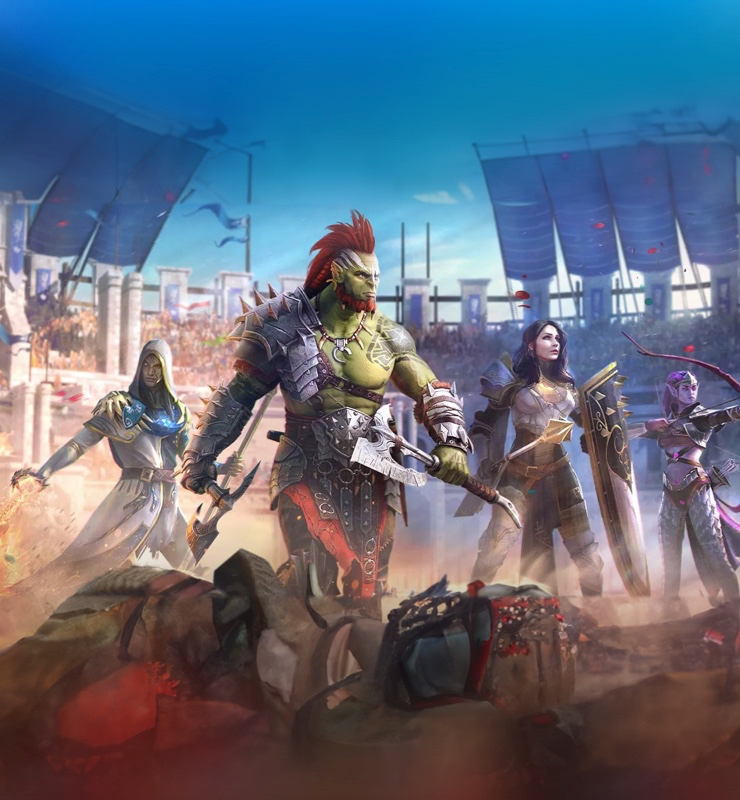


In this guide, we’ll take a look at the top contenders in the game launchers sphere. The list is carefully curated based on key factors such as community tools, exclusivity, interface design, and more. By the end of this list, you’ll have a better understanding of what each game launcher represents and how it suits your gaming needs.
How we came up with this list
To compile our roundups, we evaluated critic ratings, audience research, and sought-after features, leveraging our expertise as gamers and developers to bring you the most accurate and helpful information.
Best Game Launchers at a Glance
To determine the best game launchers available today, we evaluated each platform based on a core set of factors and how they impact someone’s experience. The primary considerations are the game libraries and storefronts, making it easy to manage the volume and variety of available titles, as well as the frequency of sales and promotions, and exclusive content.
Beyond the games collection, we’ve also considered the overall User Experience (UX) and Performance. A great launcher should feel intuitive to navigate and be visually appealing. Factors such as offline reliability, download speed optimization, and Community/Social ecosystems also play a significant role.
| Game launcher | Best for | Noteworthy features | Popular games |
| Plarium Play | Mobile MMO and strategy crossplay on PC |
|
|
| Steam | Massive game library and community features |
|
|
| Epic Games Store | Free game giveaways and exclusives |
|
|
| Xbox App | Xbox Game Pass integration |
|
|
| GOG Galaxy | DRM-free games and library unification |
|
|
| Ubisoft Connect | Ubisoft titles and cross-progression |
|
|
| Battle.net | Activision and Blizzard multiplayer games |
|
|
| EA App | EA Play integration |
|
|
| Itch.io | Indie games |
|
|
| Playnite | Open-source library unification |
|
|
| LaunchBox | Emulated and retro games |
|
|
| Amazon Games | Amazon Prime members |
|
|
| Rockstar Games Launcher | Rockstar Games titles |
|
|
| Riot Client | Riot Games titles |
|
|
1. Plarium Play
| Best for: | Massive game library and community features |
| Unique strengths: | Native performance (not just browser) that supports mobile-to-PC sync and multi-account switching |
| Noteworthy games: | RAID: Shadow Legends, Mech Arena, Vikings: War of Clans |
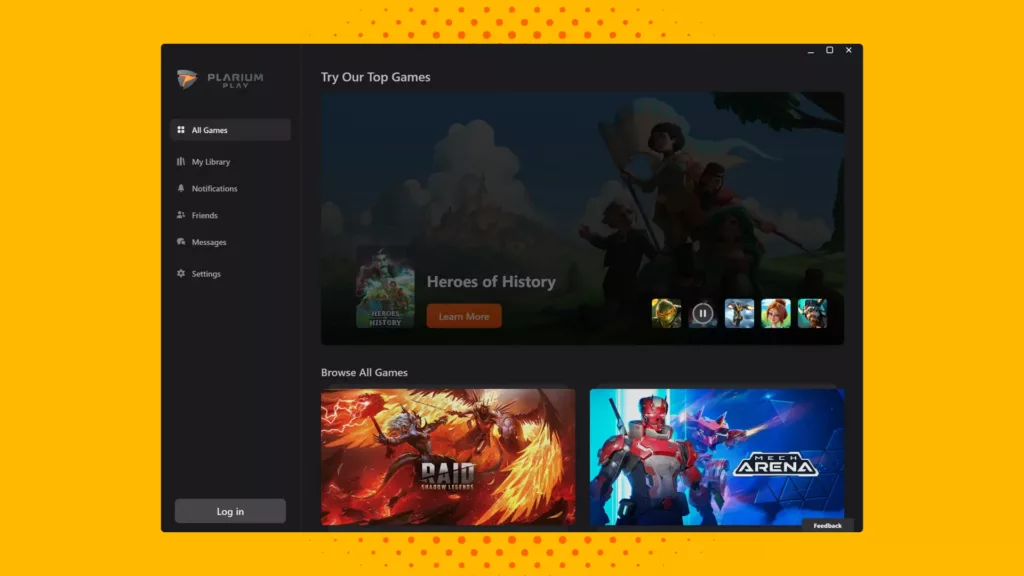
| User experience: | Clean and minimal launcher UI with side-menu access to the entire library |
| Social features: | In-game and in-launcher chat and community integration across Plarium’s different games |
| Customer support: | Centralized support through Plarium’s customer team |
| Library & management features: | Auto-updates that include patching, along with native installs, account switching, and mobile progress sync |
| Pricing and perks: | Free launcher with free-to-play titles that include in-game monetization |
Plarium Play is Plarium’s game launcher on PC, designed to bring its mobile and browser-based MMOs, RPGs, and strategy titles to a unified environment. If you’ve been a fan of Plarium’s mobile games, Plarium Play is the best way to transition to a desktop gaming experience.
One of its major strengths lies in running natively. Instead of relying on browser ports, you get better graphics, configurable settings, and stable performance. It also supports mobile-to-PC syncing for gameplay progression. Add to that multi-account management, and you can keep up to 10 accounts synced up.
The launcher also provides access to chat and forums. The games themselves are completely free-to-play, featuring microtransactions and special in-game promotions. While official support is centralized, the quality of resolution and performance can be subjective based on your desktop.
Since Plarium Play runs natively, it can better utilize your CPU, GPU, and RAM for improved performance and visuals. Cross-platform sync works seamlessly, letting you switch between the traditional mobile experience and the desktop version without losing any progress. Overall, it’s a capable ecosystem that’s worth keeping if you’re a Plarium fan.
2. Steam
| Best for: | Massive game library and community features |
| Unique strengths: | Vast game catalog with community and mod integration, alongside robust social and trading options with frequent sales |
| Noteworthy games: | Counter-Strike 2, Dota 2, Cyberpunk 2077, Elden Ring |
| User experience: | Polished UI with in-game overlay options and customizable layout |
| Social features: | Integrated friends, groups, chat, and community hubs that support long-form reviews |
| Customer support: | Support is handled through a ticket system with a popular refund policy |
| Library & management features: | Extensive library customization with dynamic collections, advanced filtering, and detailed playtime tracking |
| Pricing and perks: | Famous for massive seasonal sales, competitive pricing, and the Steam Points Shop for customization |
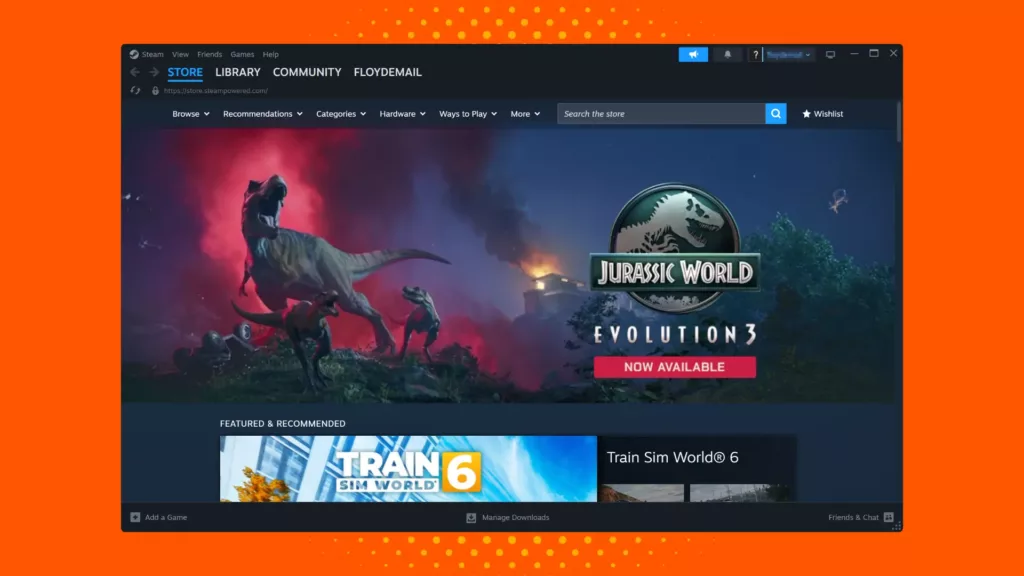
Steam offers a versatile approach to gaming, providing access to a wide range of genres and titles. Even if you browse through the best free Steam games, you’ll come across hundreds of options across different genres. It’s a great pick for its community features, variety of games, and customization options.
Steam’s UX is a powerful but complex journey. The client is a multifaceted hub for your store, library, and social interactions, which can sometimes feel cluttered if you prefer a minimalist approach. However, this complexity enables several features like an integrated friends list, chat systems, reviews, and more.
On a technical level, Steam can be quite resource-intensive compared to its competitors, as it consumes more CPU and RAM due to the numerous features running in the background. However, it compensates with powerful functionalities like Steam Remote Play and Steam Cloud, letting you play on other screens and sync your game progress.
According to community consensus, Steam’s advantages are often overwhelming: the unbeatable game selection, deep discounts during sales, and the Steam Workshop, and are universally beloved. The primary drawbacks cited are mainly regarding the launcher’s performance, especially on lower-end systems.
3. Epic Games Store
| Best for: | Free game giveaways and exclusives |
| Unique strengths: | Regular free games and a built-in coupon system that rewards loyalty |
| Noteworthy games: | Fortnite, Alan Wake 2, Rocket League |
| User experience: | Clean and minimal interaction with a store, library, and news dashboard that prioritizes ease of use |
| Social features: | A focus on friends list and party chat without any built-in forums |
| Customer support: | A ticket system that functions through Epic’s help center, handling both launcher and game issues |
| Library & management features: | Games install natively and update automatically, where you can control bandwidth and priorities |
| Pricing and perks: | Games are sold individually, along with free giveaways and rewards (“Epic Rewards”) on purchases |
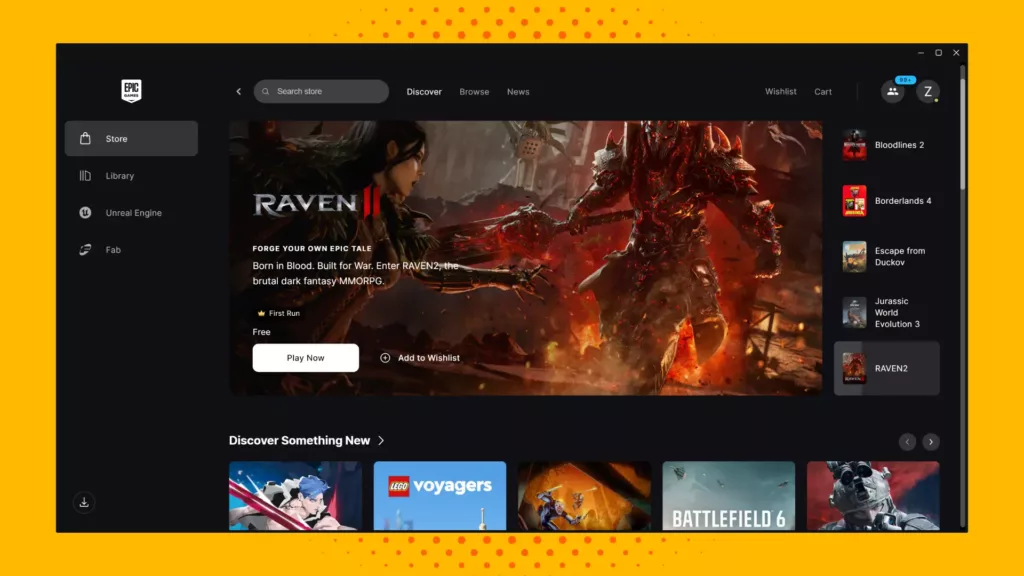
The Epic Game Launcher keeps things relatively straightforward with tabs for the Store, Library, and News/Promotions. Even on handheld devices, the platform works well, with impressive mobile games available with a few taps. There’s a dedicated Download Manager that lets you prioritize downloads, pause/resume them, and manage your bandwidth.
The UX is relatively lean, focusing on the most important aspects, such as the Store, Library, and News/Promotions. There’s another layer of accessibility: Unreal Engine support for developers. Overall, Epic makes a point to blur the line between gamers and game developers.
Since the platform runs natively, it can fully utilize your system’s CPU, GPU, and RAM. Cross-platform sync is supported via Epic Online Services, allowing features like match queues and cross-play gameplay to work seamlessly. Controller support also works well, depending on the game, so you can enjoy a title with keyboard/mouse as well as a joystick.
Community feedback often highlights Epic’s strengths regarding free games and developer-friendly revenue splits. However, the absence of user forums and occasional performance issues can come off negatively. To many, Epic’s model is compelling, but it may seem less mature than long-established launchers.
4. Xbox App
| Best for: | Xbox Game Pass integration |
| Unique strengths: | Deep Game Pass integration for PC as well as consoles |
| Noteworthy games: | Halo Infinite, Forza Horizon 5, Starfield |
| User experience: | The app offers a clean and unified interface with tabs for Home, Library, Game Pass, and Social features |
| Social features: | You gain access to the entire Xbox network integration, which includes friends list, party chat, activity feed, and more |
| Customer support: | Support is handled through Microsoft’s help portal and Xbox support channels |
| Library & management features: | You can download and run PC games, stream via cloud, manage installed games, and see aggregated game libraries from other stores |
| Pricing and perks: | The app is free, but monetization comes via Game Pass subscriptions, along with discounts for Game Pass holders and game/DLC purchases |
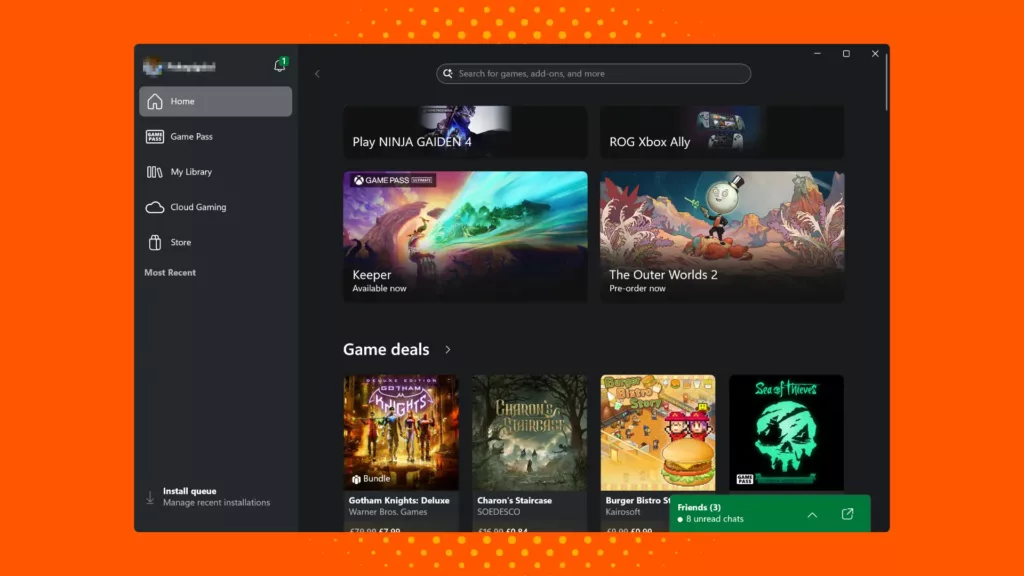
The Xbox App’s interface revolves around a huge range of game genres, as well as distinct tabs for Game Pass, Social features, and Microsoft’s Store. It’s one of the best game launchers you can try if you’re a Microsoft fan through and through. The app supports cloud gaming, letting you stream console games to your PC if you have Game Pass Ultimate.
The Xbox library itself is home to several popular games. However, before it migrated several exclusives to other consoles, it remained sharp on exclusivity. Modern-day Xbox is dedicated to Game Pass, focusing on accessibility rather than exclusivity.
The app supports both native installs and streaming (via cloud), and can adapt to your hardware with ease. Crossplay and sync work well between PC and consoles, making the library accessible from any platform you’re comfortable with. There’s also an expanding support for ARM-based Windows 11 devices, enabling local installs on ARM machines.
If you have the Xbox controller, you can pair it with any Xbox device, as well as a PC. However, community feedback still points out that certain users have a problem with the launcher’s stability on PC. There’s also ongoing criticism against Game Pass Ultimate’s price hike from $19.99 to $29.99 per month, which limits accessibility to day one gaming.
5. GOG Galaxy
| Best for: | DRM-free games and library unification |
| Unique strengths: | Includes full DRM-free support, multi-platform library aggregation, open plugin/integration support, and more |
| Noteworthy games: | The Witcher 3: Wild Hunt, Disco Elysium, Divinity: Original Sin 2 |
| User experience: | The UI is clean and modern, with customizable views, filtering, and bookmarks |
| Social features: | Gain access to cross-platform friends lists that show what your friends play across PC and consoles, plus basic chat for GOG Galaxy users |
| Customer support: | Support is handled through GOG’s official support system, but leans on community feedback and forums |
| Library & management features: | Galaxy 2.0 lets you import games from other launchers, manage installs and updates, and bookmark/filter views |
| Pricing and perks: | GOG sells games individually, usually with generous discounts and bundles, with complete ownership (DRM-free) |
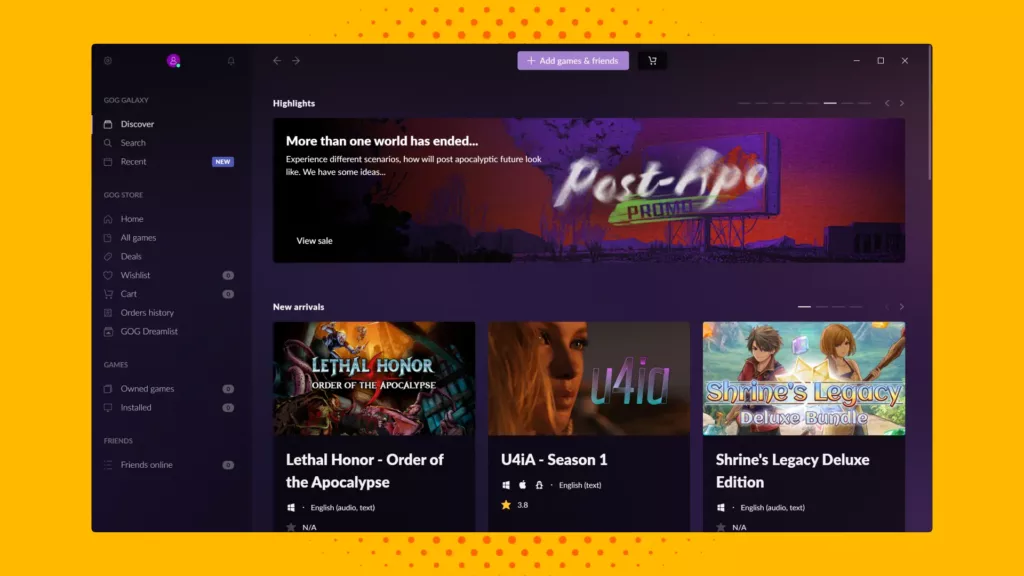
If you’ve been missing the feeling of truly owning your games, GOG is one of the best PC game launchers to consider, thanks to its DRM-free focus. It’s a unified gaming hub where you can connect your other libraries with a fresh UI that lets you filter by installed, owned, and subscribed titles. This gives you complete control of your games and how you play them.
Galaxy shows you your friends’ current games across platforms, their achievements, and lets you chat (for GOG users). Since GOG Galaxy is optional and non-intrusive, you can launch DRM-free GOG games even without the client. When the client is in use, it runs natively and applies overlay, cloud sync, and patch rollbacks.
Galaxy is relatively lightweight compared to larger launchers, as it’s primarily a front-end hub. Because of its open API/plugin model, the community is actively building new integrations. That said, some users point out missing features, such as non-GOG games, overlays, or advanced social features, as well as latency when syncing large libraries.
6. Ubisoft Connect
| Best for: | Ubisoft titles and cross-progression |
| Unique strengths: | Ubisoft’s reward and challenge system, combined with access to all Ubisoft titles |
| Noteworthy games: | Series like Assassin’s Creed, Far Cry, and Tom Clancy’s Rainbow Six |
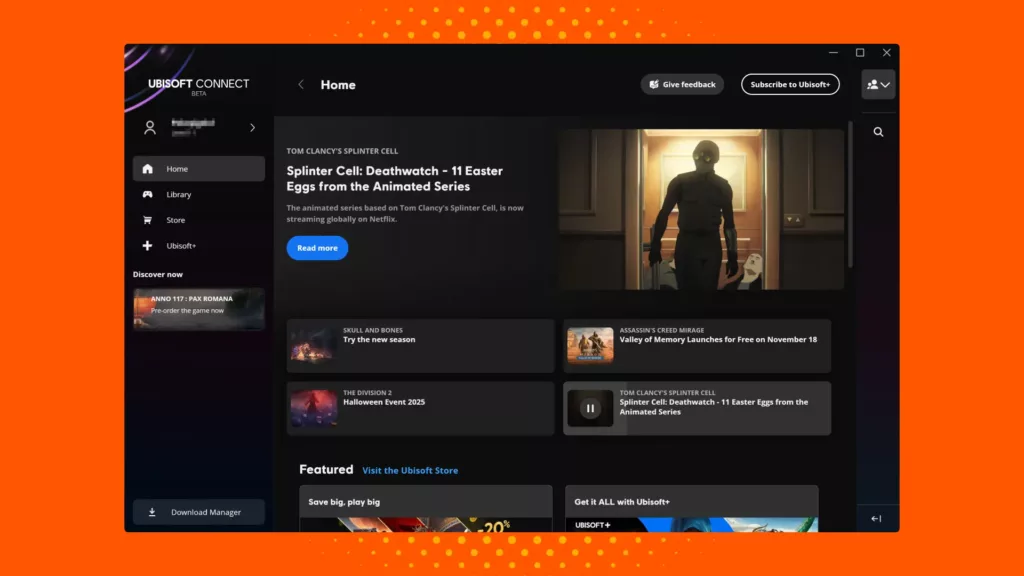
| User experience: | Straightforward UX with tabs for games, store, challenges, and social features |
| Social features: | Gain access to Ubisoft’s integrated friends list, chat, crossplay links, and activity tracking across linked games |
| Customer support: | Ubisoft offers a centralized support portal that handles both launcher and game problems via tickets and FAQs |
| Library & management features: | Ubisoft Connect is in charge of game purchases, native installs, updates, and account linking |
| Pricing and perks: | The client is free, with monetization coming from game purchases, DLCs, and an optional Ubisoft+ subscription |
When you take a look at some of the best PC games that have come out in recent years, several names belong to Ubisoft’s mighty catalogue. The studio’s launcher, Ubisoft Connect, serves as the hub for all Ubisoft content. You can find a store dedicated to its many franchises, and play them while completing challenges and rewards during the playthrough.
You can also find Ubisoft Connect on third-party stores (like Steam), where a lite version of the launcher works alongside the game to handle its reward tracking, DRM checks, and social features. The interface is relatively simple, with sections for the game library, store, rewards/challenges, and friends.
In terms of performance, Ubisoft Connect is a lightweight launcher that mostly only consumes resources when running background services. The DRM model primarily requires a connectivity or validation check when you start a game. Crossplay and cross-progression are largely supported in many new Ubisoft games, once you link an account.
Community feedback is often mixed, as some appreciate the reward/challenge system, as well as crossplay features, while others criticize the bugs and forced integration. Occasionally, there may also be problems with crashes or logging in.
7. Battle.net
| Best for: | Activision and Blizzard multiplayer games |
| Unique strengths: | Features unified login across Blizzard games, built-in voice & chat, integrated store with consistent multiplayer features |
| Noteworthy games: | World of Warcraft, Overwatch 2, Diablo IV |
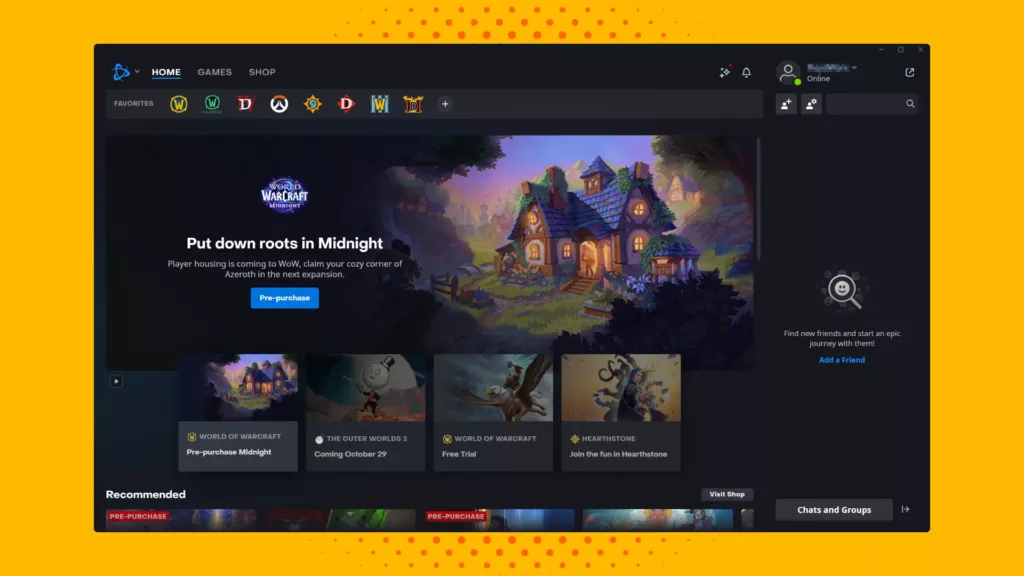
| User experience: | Clean and focused interface with tabs for games, social store, and news |
| Social features: | Features friends lists, cross-game chat, voice chat, groups, and presence status under all games |
| Customer support: | Support is handled through Blizzard’s official help site and ticketing, tied to the Battle.net account |
| Library & management features: | The launcher handles installation, auto-updates, patching, and game selection from your library |
| Pricing and perks: | You can buy games, expansions, and DLCs through the launcher, with optional in-game purchases |
Battle.net’s desktop client combines Blizzard and Activision’s PC games under a single login, eliminating the need to reauthenticate for each title. Over time, Blizzard has improved the layout for better navigation and a streamlined flow. Its social system includes cross-game chat and voice channels, while the store page sells entire games, expansions, and in-game content.
The launcher natively leverages your system’s hardware for Blizzard/Activision titles. It also handles patching efficiently and supports cross-game activity, unified friends tracking, and shared voice or chat features. On the security side, it supports two-factor authentication and account protection measures.
Community feedback for Battle.net has been mixed: Many praise it for its seamless integration and stability when playing exclusive titles, while others criticize UI regressions or the inconvenience of account/license switching. However, if you’re a fan of Blizzard/Activision titles, this launcher will serve you well, even with its shortcomings.
8. EA App
| Best for: | EA Play integration |
| Unique strengths: | Modern PC client replacing the older Origin platform, with a native library for EA titles |
| Noteworthy games: | FIFA/FC, Battlefield 6, The Sims 4 |
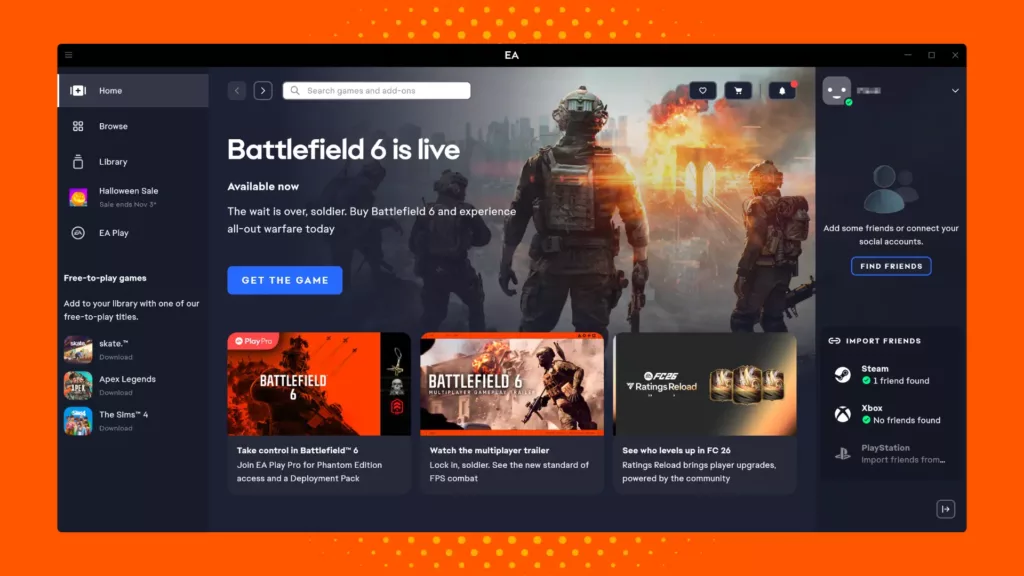
| User experience: | Clean, simplified UI with tabs for browsing the store, home page, library, and social features |
| Social features: | You get a unified friends list pulling from your EA account, with chat support and linking across platforms |
| Customer support: | EA handles support via its official help portal and forums |
| Library & management features: | EA App allows native installation and auto-updates of EA titles, library filtering, and cloud saves with syncs |
| Pricing and perks: | Games are purchased individually on the app, and you can optionally subscribe to EA Play or EA Play Pro for broader access to the library |
The EA App substitutes the legacy Origin client with a platform that is much faster and lighter for PC users. The goal is to streamline game discovery, store access, and friend management. The interface revolves around a Home tab showing new releases, promotions, and news, and a library tab where you can view installed and non-installed titles.
On the social side of things, you can link friends from other platforms and manage your EA list alongside a chat feature. Advanced launch options are available for games by clicking a three-dot menu, albeit with some limitations.
Since the EA App supports native installs for EA PC titles, it utilizes your system’s hardware without any browser-based constraints. Auto-updates and background downloads are built in, helping ensure that your games are ready when you are. Cross-platform integration is certainly improved from Origin, and you can connect your EA account with other platforms.
Many supporters appreciate that the EA App works best if you’re invested in EA’s ecosystem, such as its sports titles, action-adventure, and third-person subgenres. While its strength lies in simplifying a single-publisher ecosystem, it doesn’t offer broad compatibility and seamless third-party integration.
9. itch.io
| Best for: | Indie games |
| Unique strengths: | An extremely large indie-game catalog with a pay-what-you-want model |
| Noteworthy games: | Disco Elysium, Celeste |
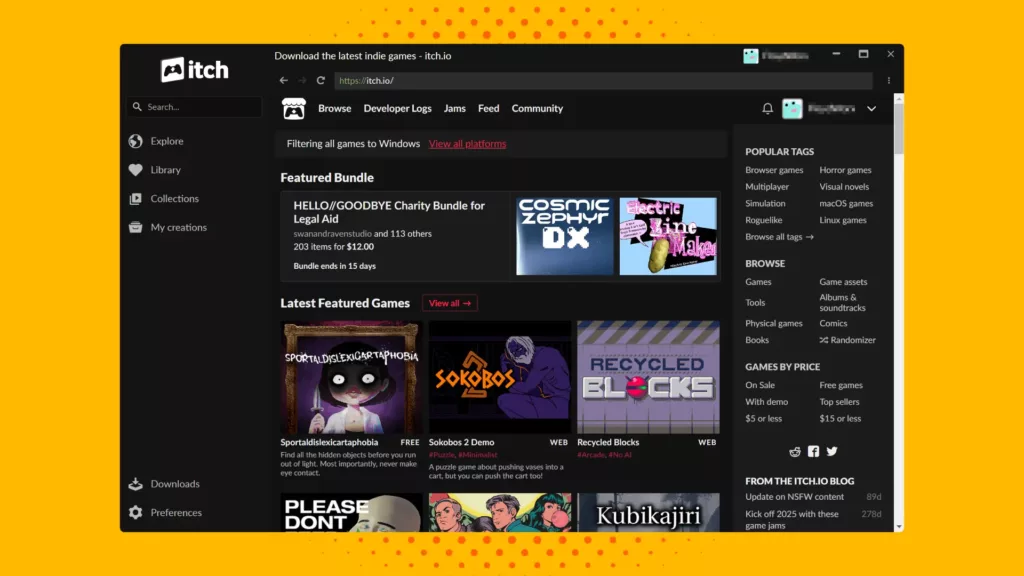
| User experience: | Simple and lightweight interface with an in-app browsing and game installation experience |
| Social features: | Modest features like account linking, reviews/comments, and game-jam community pages |
| Customer support: | Launcher provides support through GitHub/issue tracker and standard help or FAQ pages |
| Library & management features: | You can download/install games into a designated folder, auto-update them, and track purchases |
| Pricing and perks: | Games are individually priced without any subscription requirement |
The itch.io app is designed to complement the website of the same name, rather than replace it. The launcher handles game updates automatically for both itself and installed games, and you can sync browser-based games for offline play. On the creator side, itch.io’s revenue-sharing model empowers developers to handle sales themselves.
The collection of games appeals to almost anyone, since the genres are so diverse. The interface helps, especially if you’re playing with friends, since it takes a few seconds to load into a game. Managing your games and switching accounts can be convenient, though several users report bugs when builds aren’t packaged well.
This launcher is ideal for you if you’re into indie game discovery and enjoy supporting small developers. Add to that the flexible and creator-friendly ecosystem, and you have yourself indie gems that are simple to install, yet promise hours of playthrough. It may lack many of the features other platforms have, but it makes up for it with its simplicity.
10. Playnite
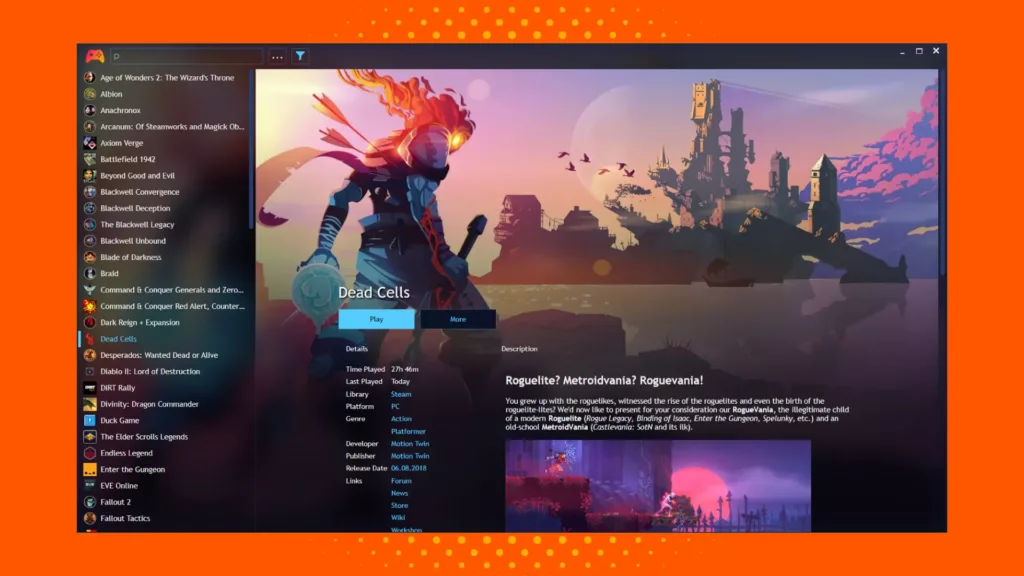
| Best for: | Open-source library unification |
| Unique strengths: | Includes open-source licensing, deep library aggregation, full-screen mode, and emulator integration |
| Noteworthy games: | N/A (imports libraries from other platforms) |
| User experience: | Highly customizable UX, along with a big-screen mode for those who love couch gaming |
| Social features: | Minimal functionality without a friends/chat host of its own |
| Customer support: | Community-driven, rather than commercial support |
| Library & management features: | You can import libraries from multiple launchers, apply filters/tags, or run emulators |
| Pricing and perks: | Completely free to us with no subscription or pay-gated features |
Playnite likes to connect the dots between every launcher you can think of. Regardless of the genre, whether strategy games, fighting games, or co-op ones, Playnite focuses entirely on library management and game launching rather than acting as a digital storefront. So, if you wish to import your games from Steam, Epic, GOG, etc., to one place, this is it!
The UI is designed to let you switch between desktop mode and a full-screen mode optimized for controller support. It also supports themes and community-made layouts, giving you the ultimate access to customizable hubs. On the library side, you have access to metadata, cover art, playtime tracking, and collection management.
Playtime uses a few resources and loads up quickly, even with large libraries. It supports Windows 10 and 11 natively and can integrate with emulators for classic console games as well as standard PC games. However, you still need the original launcher installed for games to authenticate certain services.
Several users praise Playnite for providing a dashboard to view and launch all their games, regardless of the store, as well as for its customization options. However, some users may find it time-consuming to set up certain integrations or plugins that require manual configuration.
11. LaunchBox
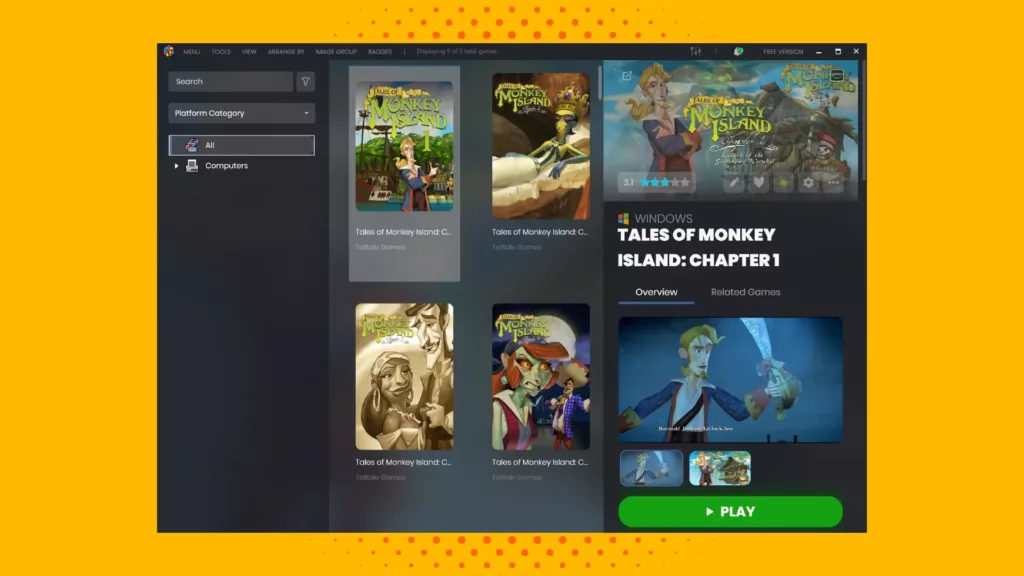
| Best for: | Emulated and retro games |
| Unique strengths: | Deep metadata scraping (such as box art, fan art, screenshots), multi-storefront and emulator integration |
| Noteworthy games: | N/A (imports libraries from other launchers) |
| User experience: | UI offers both standard desktop mode and a full-screen “Big Box” version |
| Social features: | Limited features, mostly inherited from other launchers |
| Customer support: | Primarily through community forums, tutorials, and dev documentation |
| Library & management features: | You can import games from multiple launchers, add emulators, as well as tag and filter the library |
| Pricing and perks: | Core features are free, but there is a Premium/Big Box mode with additional features |
LaunchBox combines a deep metadata engine with an aggregator interface for both modern and popular retro games. It lets you import games from other libraries automatically, and if you have a home theater or arcade setup, then the “Big Box” mode allows you to experience games full-screen with controller support.
The library management side of things boasts automatic metadata and media downloads, alongside playlist creation. There’s broad flexibility as to how games and emulators are configured, despite the limited social features. Instead, you can access the community and metadata contributions to know more about the game.
Since Launchbox is primarily frontend, it tends to be lightweight and fast, especially when you’re not running anything in the background. It supports Windows (as well as Android options) and works well with emulators, DOSBox, and PC game clients. The compatibility features are where LaunchBox shines the most.
However, because it’s so flexible and oriented towards power users, setup can feel a bit complex. You need the original launcher or emulator for authentication, and you must manually configure themes or controller bindings. Since social and community features are limited, it can feel like a lonely journey going through all of this by yourself.
12. Amazon Games
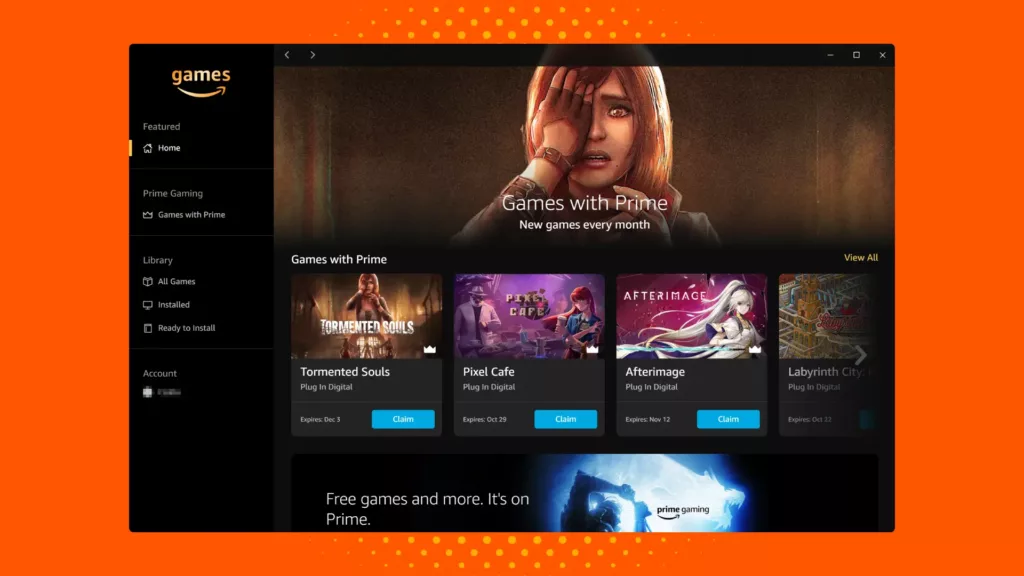
| Best for: | Amazon Prime members |
| Unique strengths: | Free game claims for Prime members, access to Amazon-published titles, and promotional giveaways |
| Noteworthy games: | New World, Lost Ark, Blue Protocol |
| User experience: | Clean and simple UX with a library of claimed games |
| Social features: | Limited features with basic activity tracking of claimed games |
| Customer support: | Handled via Amazon’s general help system and Prime Gaming FAQs |
| Library & management features: | You can download and install games you’ve claimed through Prime Gaming |
| Pricing and perks: | Complete access requires an Amazon Prime membership (or Prime Gaming) |
The Amazon Games App is designed as a companion for Amazon’s game distribution and Prime Gaming ecosystem. The interface is minimal and focused, featuring a simple library view that displays claimed games, download/install buttons, and basic settings. If you’ve got that Prime membership lying around, it’s time to make use of it through the launcher.
This lightweight launcher doesn’t attempt to aggregate all PC stores or come with any massive built-in community or trading systems. Instead, it focuses on Amazon’s published games with strong RPG elements and highly replayable content. Most of the UX revolves around these few games, and compatibility features are limited.
Several users report that it sometimes lacks advanced library features like grouping or favoriting games, or even playtime tracking. Since the app is tied to Amazon’s ecosystem, the library may feel a bit limited compared to other launchers. Therefore, it may not be the first choice for many users, unless you’re only playing a specific title, such as New World.
13. Rockstar Games Launcher
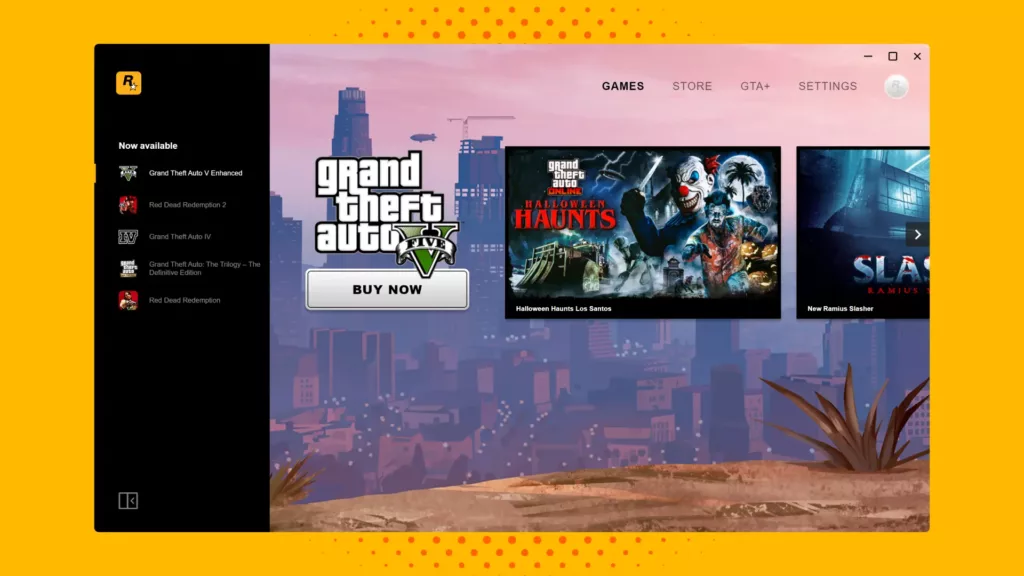
| Best for: | Rockstar Games titles |
| Unique strengths: | Integration with the Social Club account network, automatic updates, and cloud save support |
| Noteworthy games: | L.A. Noire, Red Dead Redemption 2, Grand Theft Auto V |
| User experience: | Simple and publisher-centric interface with access to Rockstar’s library of games |
| Social features: | Minimal features since focus is on Rockstar’s own ecosystem and Social Club account integration |
| Customer support: | Handled through Rockstar’s own help site and forums |
| Library & management features: | You can view and launch your Rockstar titles, manage installs/updates, enable cloud saves, and follow news |
| Pricing and perks: | Monetization happens through game purchases and in-game content rather than a subscription |
The Rockstar Games Launcher is a publisher-specific hub that centralises Rockstar’s PC titles and ensures consistent updates/downloads across platforms. It ties to your Social Club account and supports features like cloud saves and automatic updates. The interface is clean and simple, focusing on Rockstar’s library of popular games.
The launcher itself is not as resource-hungry as compared to something like Steam or Epic, since it doesn’t attempt to aggregate dozens of third-party stores or heavy community features. It runs natively on Windows and supports cloud save features and updates for select titles.
Many users have reported login issues, launch failures, and forced installation of the launcher. All of which can be avoided if another launcher is used. Compatibility with non-Windows platforms is limited, but the launcher remains loyal to all of the developer’s games, especially if you’re a Rockstar Games fan through and through.
14. Riot Client
| Best for: | Riot Games titles |
| Unique strengths: | Centralized login point for all Riot titles with a unified game-hub interface |
| Noteworthy games: | League of Legends, Valorant, Teamfight Tactics |
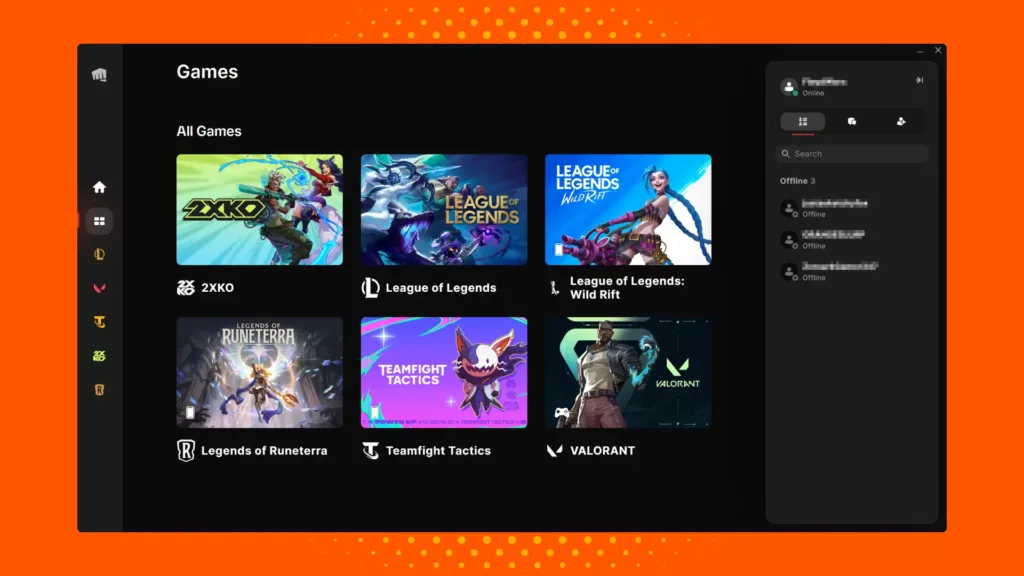
| User experience: | Clean and focused interface that uses “Game Hubs” to surface news, events, and relevant content for each title |
| Social features: | Gain access to Riot friends list, cross-game activity, and news or events info for every game |
| Customer support: | Organized through Riot’s standard help/FAQ system |
| Library & management features: | Installation and updates for Riot’s games, along with background patching and the latest information |
| Pricing and perks: | Client is free, and games are monetized without any subscription for the launcher itself |
The Riot Client is a central hub for some of the top MOBA games (like League of Legends), letting you sign in once and enjoy the game without needing any other launcher. You can view a game’s update (patches), news, launch controls, and more. The background patching works like a charm, letting you download and install updates while idle.
The UX is focused, since the scope is limited to Riot’s exclusive titles, rather than thousands of third-party games. This means fewer distractions, but also fewer features. Some users note that the client may install itself automatically alongside games like Valorant, creating extra processes even if you only play one game.
From a performance standpoint, the launcher is not heavy, since it’s essentially a publisher’s launcher for a defined set of games rather than a massive ecosystem. Even though cross-game progress works within Riot’s titles, you won’t get a wide library of games from other publishers. This limits any modding or in-depth marketplace.
How To Choose a Game Launcher
Choosing the right launcher depends on the kind of gamer you are and how you like to play your favorite games. Each platform offers a mix of exclusives, features, and ecosystems that cater to different needs. Keep these factors in mind before making a pick:
- Game availability: Does the launcher host the titles and genres you’re looking for? Whether it’s AAA blockbusters, indies, or even emulated retro games.
- Value offering: Consider how you’ll pay and play. There should be frequent discounts, free games, or maybe a subscription model like Game Pass or EA Play that suits your requirements.
- User experience: The interface should be clutter-free and straightforward, with clear information so you know exactly what you’re getting.
- Performance: Verify that the launcher operates smoothly on your system without consuming excessive resources or conflicting with other software.
- Community: The launcher’s social layer should include features such as chat, forums, achievements, or mod support. Which of these matters to you?
- Compatibility: Finally, ensure it supports your preferred input method, such as a controller or keyboard and mouse, and whether it integrates with other stores, devices, or ecosystems you use.
Experience Your Favorite Games All in One Place
Whether you’re tracking your gameplay stats or finding new games, a launcher can be a home for your gaming experience. It’s where you’ll find new titles or continue to enjoy the ones you’ve loved over the years. Choosing the right launcher is a crucial decision, so take the time to browse through different options before committing.
A launcher, such as Plarium Play or the Riot Client, stays loyal to a select number of exclusives, while platforms like Steam and Epic continue to expand their libraries. Based on the games you enjoy playing, we hope you find the right launcher for you.